
SECURE PRINT RELEASE
Protect sensitive documents and let users print where they need to
Hold documents securely until the authorized user is ready to collect them. PriApps Secure Print Release prevents confidential information from being left unattended at printers, while giving users the flexibility to release their work at a convenient device.
Confidential documents stop sitting in output trays. Forgotten jobs are never printed at all.
Also known as pull printing, follow-me printing or find-me printing, Secure Print Release creates a safer, simpler printing experience across mixed fleets of printers and multifunction devices.
THE PROBLEM
Everything you do to protect documents stops at the print button
Walk past a shared printer at four in the afternoon and you find the day’s accumulation.
- A payroll run
- Somebody’s resignation letter
- A contract with the commercial terms face up
- An appointment confirmation from a clinic
Nobody left them there deliberately. They printed, got pulled into a meeting, and never went back.
Your organization controls who can open those documents. It controls who can email them, where they can be stored, how long they are kept. All of it holds right up to the moment somebody presses print — and then a digital document becomes a piece of paper in a shared room, and every control you built stops applying to it.
Secure Print Release closes that gap.
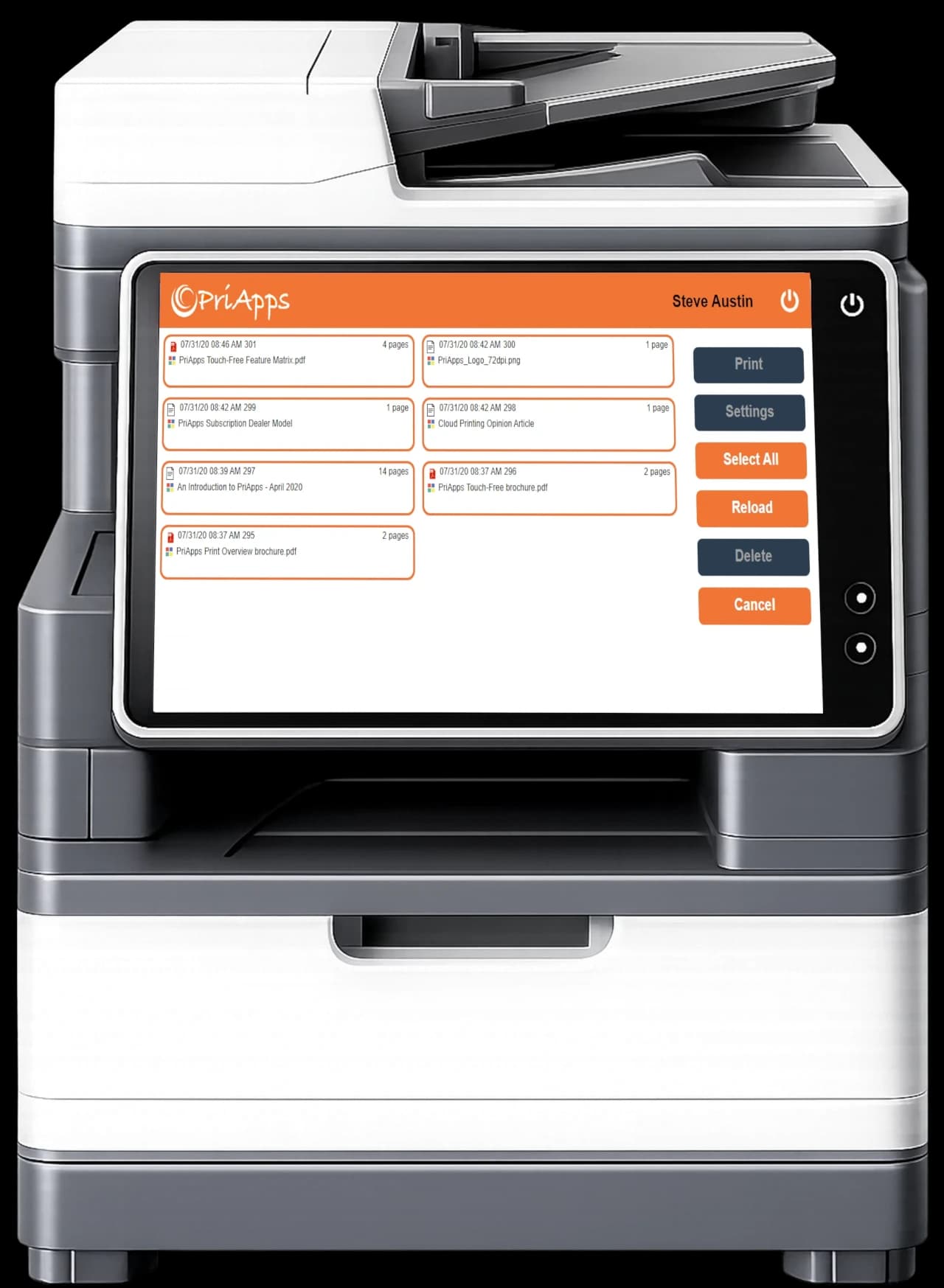
Documents are held in a secure queue until the user authenticates and chooses to release them. The document is printed only when the user is present, reducing the risk of confidential information being left unattended.
At the same time, users are no longer tied to the printer selected when the document was submitted. They can collect their work from another available printer or MFP.
SECURE PRINTING WITHOUT COMPLEXITY
Stronger control without slowing people down
Protect confidential information
Documents remain held until an authorized user releases them, helping protect financial records, employee information, legal documents, healthcare information and other sensitive content.
Give users greater flexibility
Users can submit a document and collect it later from an appropriate device. Alternative-device release helps them continue working when their usual printer is busy, unavailable or in another location.
Reduce abandoned and unnecessary printing
Unreleased jobs can be automatically deleted after a defined period. This reduces waste from documents that were printed but never collected, duplicate submissions and jobs that are no longer required.
Create a consistent user experience
Provide a familiar Secure Print Release process across mixed printer and MFP fleets. PriApps supports Secure Print Release across different manufacturers while applying the capabilities available on each device.
Improve visibility and accountability
Record print activity by user, device, department or other configured criteria. Detailed reporting helps administrators understand how printing resources are being used and supports internal security, compliance and cost-control policies.
HOW IT WORKS
Six simple steps from submit to audit record
Submit
The user prints as normal — from a desktop, a laptop, a phone, a Chromebook or a business application. Nothing changes in how they work.
Hold
PriApps holds the document in a secure personal queue for that user, the PriApps myQueue. Nothing reaches an output tray without authorization.
Authenticate
The user identifies themselves at the device: an access card, a PIN, their network credentials, their identity provider login, or their own smartphone.
Select
The user reviews the documents waiting in their myQueue and chooses which jobs to print or delete.
Release
The selected documents are released while the user is present at the printer or MFP.
Record
PriApps records who sent it, who released it, where, and when for reporting, auditing and cost analysis.
RELEASE ANYWHERE
Jobs follow the user, not the printer
Send once, then collect from whichever device is free, closest, or still has toner. If the printer by your desk is jammed, walk to the next floor and release there instead. Nothing needs resending.
This is what makes Secure Print Release popular with users rather than merely tolerated by them. Most security measures cost people time. This one gives them time back.
FLEET COVERAGE
Secure release at any make or model
This is where most print management products fall down.
Secure release is commonly available only on part of the fleet — the newer multifunction devices, from one manufacturer, running the right embedded platform. The single-function printers, the older units and anything from the wrong brand are left outside the policy. Which means the policy isn’t really a policy.
PriApps supports any make or model of printer and MFP and offers enhanced support for an increasing number of smart SFPs and MFPs where deeper integration is available.
In practice that means:
Embedded PriApps experience
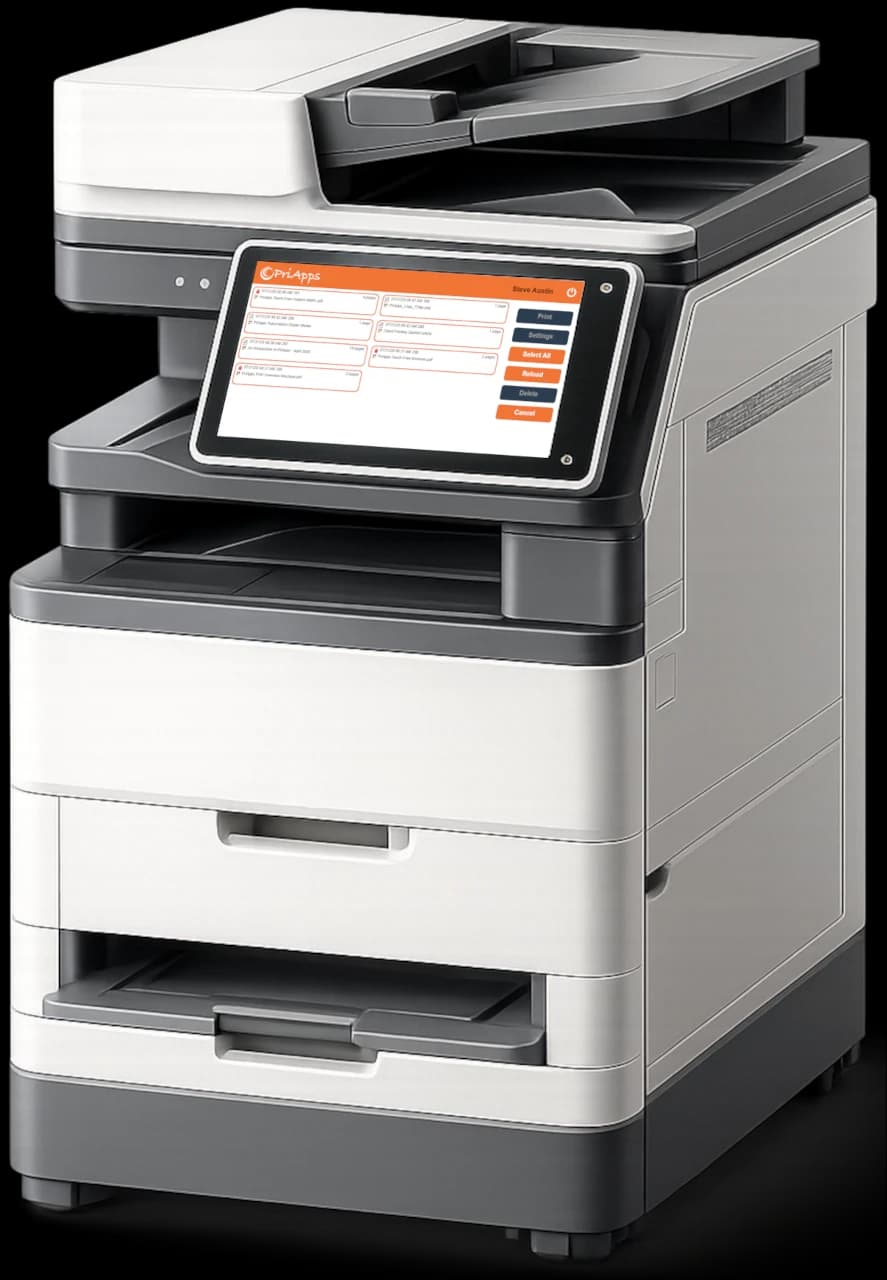
Users authenticate at the touch-screen panel, see their personal queue and release documents on the device itself.
- Embedded authentication
- Queue review and selection
- Enhanced device integration
Secure release beyond the panel
Use a card reader, PriApps Touch-Free on a smartphone, or a release station for devices with no suitable embedded option.
- Single-function printer coverage
- Older and mixed-brand devices
- Locally attached devices
You apply one secure printing policy across the whole estate without replacing equipment that works or standardizing every site on a single manufacturer.
See how Secure Print Release works in your environment
Request a demonstration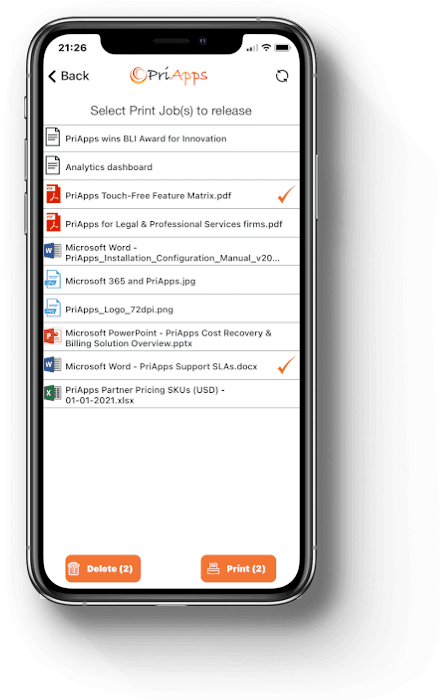
RELEASE FROM A SMARTPHONE
We built the first secure print release app for smartphones
PriApps built the first secure print release app for smartphones — letting users release their print jobs from their own mobile device long before it was a standard feature anywhere else. That capability now lives in the PriApps Touch-Free app.
The user authenticates on their own iOS or Android device, sees their held jobs, and releases them. No panel, no queue behind somebody scrolling through their print history, and the same interface at every brand of MFP in the building.
It also solves the awkward case in every fleet: secure release at single-function printers that have no usable panel and no card reader. The user’s phone becomes the release interface for devices that could never have one of their own.
This is particularly useful for organizations seeking:
- Contactless user interactions
- A consistent interface across different MFP brands
- Convenient mobile authentication
- Reduced dependence on embedded device controls
- Secure release from single-function printers
Waste Reduction
Set an expiry & stop printing paper into a recycling bin
A significant share of everything printed is never collected. Duplicate submissions from users who assumed the first attempt failed. Changed minds. Wrong printer. Simply forgotten.
Without secure release, all of it prints. With it, uncollected jobs expire after a period you set and are deleted unprinted.
Security may drive the project. Waste reduction often helps pay for it.
AUTHENTICATION
Use the credentials people already have
Combined with PriApps SSO, printing becomes part of your identity and access strategy rather than a separate system with its own passwords. On supported MFPs a single authentication also governs copying, scanning and access to integrated fax services.
Related capability: MFP access and single sign-on
VISIBILITY
A record of every document
PriApps records who submitted each job, who released it, at which device, and when. Records are kept even for documents that are deleted or fail to print.
These records can support:
- Security investigations
- Print & copy policies
- Compliance reviews
- Departmental reporting
- Cost allocation
- Usage analysis
- Sustainability initiatives
Related capability: Usage tracking and reporting
Document record
SECURITY
Security that extends beyond the print queue
Secure Print Release protects the point at which a digital document becomes a physical one — but PriApps security does not stop there.
The wider PriApps platform can also provide:
Authentication at supported printers and MFPs
Role-based access to device functions
Print rules and document-handling policies
Detailed activity records
Integration with identity providers and access-card systems
Controlled delivery to approved destinations
Personalized and auditable scan workflows
Secure access to integrated fax services
Together, these capabilities help organizations manage document security across printing, copying, scanning and fax-service access — not only documents waiting in a print queue.
Related capability: Security and Identity
PRODUCTS
Which PriApps product delivers this
Secure Print Release is included in the following PriApps products. Which one fits depends on your authentication requirements, your fleet and how you want it deployed.
PriApps Secure Print
The dedicated edition for Secure Print Release and pull printing.
On-premises · Hybrid
Learn more →
PriApps SSO
Adds single sign-on and card-based authentication at supported MFPs, with secure release included.
On-premises · Hybrid
Learn more →
PriApps Legal
Includes Secure Print Release as part of a wider Cost Recovery and Billing solution for legal and professional services firms.
On-premises · Hybrid · Cloud-native
PriApps Touch-Free
Smartphone authentication and release, plus contactless copy, scan and fax.
On-premises · Hybrid
Learn more →
PriApps CloudPrint
Cloud-native print management with secure release, including printing from Chromebooks.
Cloud-native
Learn more →
PriApps for Microsoft 365
Secure release for Microsoft 365 and Universal Print environments.
On-premises · Hybrid · Cloud-native
Learn more →
A PriApps specialist will tell you which combination fits your fleet and identity environment.
Related capability: Deployment options
WHY PRIAPPS
One secure printing policy across the whole environment
Any make or model.
Secure release across the whole fleet, not the part of it that happens to be new enough.
Beyond embedded MFPs.
Single-function printers and locally attached devices are covered too.
Authentication that fits.
Cards, PINs, phones, embedded login and identity provider credentials, in whatever combination you need.
Part of a more comprehensive document workflow platform.
Connect Secure Print Release with authentication, print management, cost control, reporting, mobile printing and Personalized Scan Workflows.
Deployment choice.
On-premises, hybrid or cloud-native — not one architecture we happen to prefer.
Specialists, not a ticket queue.
People who understand printers, MFPs, networks and identity systems, and who own a problem until it is resolved.
Frequently asked questions
What is Secure Print Release?
Secure Print Release holds a document in a queue until the person who sent it authenticates at a printer and releases it. Nothing is printed until they are standing there to collect it.
Is Secure Print Release the same as pull printing?
Yes. Pull printing, follow-me printing and find-me printing all describe the same process: the user submits a job to a queue and releases it when they reach a device.
Can users collect documents from a different printer?
Yes. Jobs follow the user, so they can release at whichever device is free or convenient rather than the one selected when they printed.
Does PriApps work with mixed printer fleets?
Yes. Mixed fleets are the normal case — multiple manufacturers, multifunction devices, single-function printers and locally attached printers. PriApps is built for that environment.
Does every printer need an embedded application?
No. Embedded applications give the richest experience on supported MFPs, but secure release also works through card readers, release stations and the PriApps Touch-Free app on devices with no embedded option.
Can users release print jobs with a smartphone?
Yes. PriApps Touch-Free lets users authenticate and release from their own iOS or Android device without touching the control panel.
What happens to documents that are never collected?
They expire and are deleted unprinted, after a retention period you configure.
Can PriApps integrate with our identity system?
Yes. PriApps integrates with identity providers and access card systems, so users authenticate with credentials they already carry.
Can Secure Print Release reduce waste?
Yes. Uncollected jobs are never printed, which removes duplicate submissions and abandoned documents from your paper and toner consumption.
Is PriApps available in the cloud?
Yes. PriApps CloudPrint is cloud-native, and PriApps for Microsoft 365 runs cloud-native, on-premises or hybrid.
Protect documents without restricting your users
Give your staff a safer and more flexible way to print while maintaining control across your printer and MFP fleet.
PriApps specialists can assess your existing devices, authentication requirements and infrastructure, then recommend a Secure Print Release configuration designed around your environment.